BajaNomad

Can't download Photo's????

cjesme - 4-21-2011 at 08:40 AM

Can anyone tell me why the browse download for photos does not work on BN for me????:fire:

vandenberg - 4-21-2011 at 09:57 AM

You sure you got them small enough?
Have to be under 50 kb,otherwise they won't show.

mcfez - 4-21-2011 at 10:21 AM

Quote:
Originally posted by cjesme
Can anyone tell me why the browse download for photos does not work on BN for me????:fire:


if you wish........
email me the photos and I'll reduce them to 50k for you....and post them up if you wish that too

deno@kissmygrass.com

Will be checking my email at noon pst

cjesme - 4-21-2011 at 10:32 AM

Thank You!! I just sent them to you. Mama Espinoza is such a wonderful person, I would like to share her recent photo with BN.

David K - 4-21-2011 at 11:37 AM

Don't use browse... can only post one photo at a time, and it must be one that you pre-size to under 50 kbs. Use photobucket.com and use the 'upload options' to size the photos under 800 pixels, and you can put a dozen or more photos per post. It easy free and easy.

BajaNomad - 4-21-2011 at 01:35 PM

Quote:
Originally posted by mcfez
Quote:
Originally posted by cjesme
Can anyone tell me why the browse download for photos does not work on BN for me????:fire:


if you wish........
email me the photos and I'll reduce them to 50k for you....and post them up if you wish that too


Or, use this nifty online tool:

http://www.webresizer.com/resizer/

:)

David K - 4-21-2011 at 02:45 PM

Quote:
Originally posted by BajaNomad
Quote:
Originally posted by mcfez
Quote:
Originally posted by cjesme
Can anyone tell me why the browse download for photos does not work on BN for me????:fire:


if you wish........
email me the photos and I'll reduce them to 50k for you....and post them up if you wish that too


Or, use this nifty online tool:

http://www.webresizer.com/resizer/

:)


Very cool Doug... but is there a nifty way to post more than 1 photo per post/ reply?

Here is one of mine that originally was over 700 kbs... reduced with Doug's link (reduced to 400 pixels wide):

[Edited on 4-21-2011 by David K]

109 155_opt.jpg - 29kB

David K - 4-21-2011 at 02:51 PM

Now here's one reduced to 500 pixels (at 600, it was over 50 kbs)...

[Edited on 4-21-2011 by David K]

1009 030_opt.jpg - 45kB

David K - 4-21-2011 at 03:07 PM

One more at 500 pixels wide...

910 Las Pintas 112_opt.jpg - 39kB

vandenberg - 4-21-2011 at 03:24 PM

Using Doug's tool

wheels of life_opt.jpg - 50kB

mcfez - 4-21-2011 at 05:43 PM

cjesme check your email......pictures you sent have been re sized to 40k :-)

[Edited on 4-22-2011 by mcfez]

Marc - 4-21-2011 at 06:22 PM

Quote:
Originally posted by David K
Don't use browse... can only post one photo at a time, and it must be one that you pre-size to under 50 kbs. Use photobucket.com and use the 'upload options' to size the photos under 800 pixels, and you can put a dozen or more photos per post. It easy free and easy.


That's how I do it...thanks to you!:yes::yes:

Marc - 4-21-2011 at 06:36 PM

Quote:
Originally posted by Marc
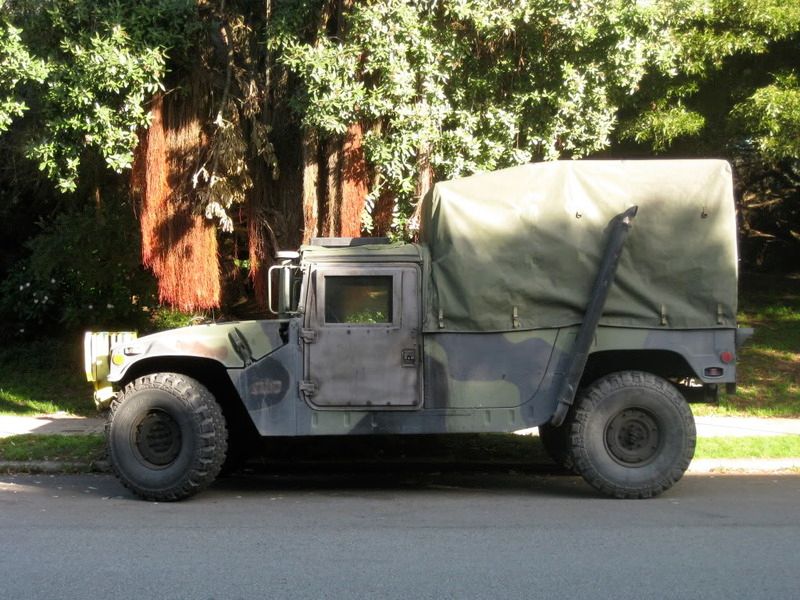
This was a HUGE image reduced via Photouckedt

THIS GUY PARKS IN FRONT OF MY HOUSE I THINK JUST TO TORTURE ME!


[Edited on 4-22-2011 by Marc]