BajaRae
Junior Nomad

Posts: 54
Registered: 8-9-2009
Location: Vista, CA
Member Is Offline
Mood: Wish I was in Baja
|
|
Pictures
I know I saw a thread on how to attach a pic...can't find it now. I want to go from My Pictures....can some one explain again. Also I have kodak
gallery..but how do you just pick out certain pic...thanks Rae
|
|
|
wessongroup
Platinum Nomad
Posts: 21152
Registered: 8-9-2009
Location: Mission Viejo
Member Is Offline
Mood: Suicide Hot line ... please hold
|
|
This may help
This is not mine, Russ sent it... it a visual on how to... The Photobucket is free

Good luck, once going it really adds to the discussion, and I'm a visual person to start with
[Edited on 9-28-2009 by wessongroup]
|
|
|
David K
Honored Nomad
Posts: 65634
Registered: 8-30-2002
Location: San Diego County
Member Is Offline
Mood: Have Baja Fever
|
|
It is in the photos forum, I bumped it up for you to find... and here it is HERE:
How to post a photo on Nomad:
A review of three methods from an older thread... for the new Nomads or the PC challenged Nomads... Note: there are many methods, and I suggest you go
to the older thread where 'everyone' provided their favorite... the following are MY prefered methods, and I want to keep it as easy as possible to
help folks who are photo posting challenged.
A) ADDING A PHOTO THAT IS IN YOUR PC PICTURES FOLDER:
A photo that is in your computer file can be displayed on Nomad pages in certain forums where it is allowed...
The photo's file size must be BELOW 50 kbs to post here. Open your photo file ('My Pictures' or ?) find the photo you want to share and move your
mouse arrow onto the photo thumbnail... a pop up will tell you how big it is in kbs or mbs (1000 kb=1 mb).
TO POST A PHOTO:
Simply click the button labled 'Browse' just below where you type a message, and your pc will pop up a window of your photo files... simply click on
the photo you wish to post (if it is under 50 kbs). The post must have a subject or some text with the photo to post.
IF your photo is over 50 kbs, then here is one method to reduce the size, and make it a duplicate (so the original full size photo is preserved). I
thank Neal Johns for showing me.
(If the photo you want to post is already on another web site, then you may 'hot link' it to Nomad, and the size doesn't matter... unless it isn't too
big and distorts the screen. Hot linking will be described below.)
PHOTOS IN YOUR PC OVER 50 KB, click on each step:
If 'paint' isn't on your deck top, do this (click on):
a) Start
b) All Programs
c) Accesories
---------------------------------------------------------------------------
1) Paint (start here if 'paint' is on your desk top)
---------------------------------------------------------------------------
2) File
3) Open...
3a) then click on the photo to get reduced (double click).
4) Image
5) Stretch/Skew... then change the % down from 100 in both boxes in sketch to a lesser number.... (if over 700 kb try 25%, if 400 kb try 35%, if 120
kb try 70%, if 60 kb try 90%)
Continue to Click on:
6) OK
7) File
8) Save As
8a) now type in a new name for the reduced photo or add -r to it to indicate it is the 'reduced' one... this is a copy so you don't mess with the
original.
9) Save
THAT'S IT!
Now, click on file and open again, move your mouse arrow over the reduced photo and see if it is between 25 and 50 kb.
When you move the mouse over the reduced photo in the files, the kb size will show and let you know if you didn't get it low enough, or too low! In
either case, repeat the steps above... working with the original, large photo.
After you do a couple it gets pretty easy.
=====================================================
B) HOT LINKING FROM ANOTHER WEBSITE:
If the photo you want to show on Nomad is already on another web site, and it is your photo or you have permission to use it, then get the url of the
photo... and click on
 which is right above where you type a message. A pop up will give you a place to paste the url of the photo. which is right above where you type a message. A pop up will give you a place to paste the url of the photo.
To get the url (begins with http:// ), move your mouse over that photo and right click on it, then left click 'properties' in the new pop up. Copy the
address/ url with your mouse to paste on Nomad in
Here is a hot link from my web site:
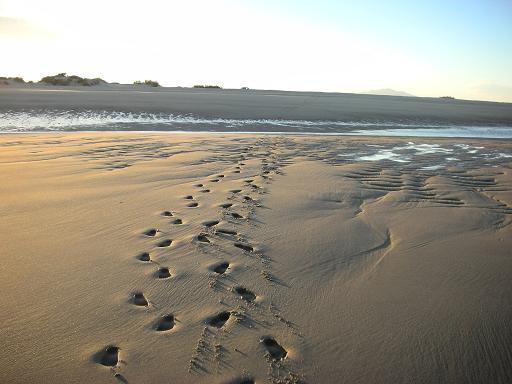
If you have your photos on a photo album web site, there may be a direct link option that will have the html tags ([img]) already included... see
Photobucket.com instructions below...
======================================================
C) PHOTOBUCKET.COM
Photos can be copied onto your (free) photobucket.com album from your PC files... just pre select the size reduction setting as 15" screen or
smaller... not 17" and not 1 mg. so the Nomad board doesn't get streched wide requiring awkward right scrolling to read messages.
To show any photos on Nomad, put your mouse on your photobucket photo, and a drop down menu will appear with these four choices and a url or 'code'
next to each... for that photo:
Email & IM
Direct Link
HTML Code
IMG Code
Copy the last one (IMG Code), and paste that right on the Nomad page where you type a message... where ever you want the photo to appear in your
thread.
===================================================
MAY THE FORCE BE WITH YOU!
|
|
|
BajaRae
Junior Nomad
Posts: 54
Registered: 8-9-2009
Location: Vista, CA
Member Is Offline
Mood: Wish I was in Baja
|
|
Thanks...I'll give it a shot...
|
|
|
David K
Honored Nomad
Posts: 65634
Registered: 8-30-2002
Location: San Diego County
Member Is Offline
Mood: Have Baja Fever
|
|
With method 'A', you can only add one photo per post/ reply on Nomad (using 'Browse' to upload to Nomad)...
With methods 'B' and 'C', you can add many photos to a single post.
(I saw your question about this where you first posted a photo)
|
|
|
BajaRae
Junior Nomad
Posts: 54
Registered: 8-9-2009
Location: Vista, CA
Member Is Offline
Mood: Wish I was in Baja
|
|
Thanks again! When I have some time I'll work on it....lots of pictures....Still have to get to work.......Rae
|
|
|
BajaRae
Junior Nomad
Posts: 54
Registered: 8-9-2009
Location: Vista, CA
Member Is Offline
Mood: Wish I was in Baja
|
|
So Now I'm trying to go from Kodak.com...I created a photo album..how do I link the Whole Album...not sure I'm spelling it right oh well!
|
|
|
David K
Honored Nomad
Posts: 65634
Registered: 8-30-2002
Location: San Diego County
Member Is Offline
Mood: Have Baja Fever
|
|
Just put here the entire url... that is the http:// address of the album page.
|
|
|
BajaRae
Junior Nomad
Posts: 54
Registered: 8-9-2009
Location: Vista, CA
Member Is Offline
Mood: Wish I was in Baja
|
|
Ok...one of these days...Thanks again
|
|
|
David K
Honored Nomad
Posts: 65634
Registered: 8-30-2002
Location: San Diego County
Member Is Offline
Mood: Have Baja Fever
|
|
bump
|
|
|
BajaBlanca
Select Nomad
Posts: 13247
Registered: 10-28-2008
Location: La Bocana, BCS
Member Is Offline
|
|
BajaRae - I soooooooooooooooo agreeeeeeeeeeeeeeeeeeeeeee
one of these days .... and like anything else, once you have it down I am sure it is easy but just reading how to do it makes me cringe inside and say
manana, I will do it manana.
|
|
|





![[*]](images/xmbforum/default_icon.gif)


