| Pages:
1
2
3 |
mtgoat666
Platinum Nomad

Posts: 21371
Registered: 9-16-2006
Location: San Diego
Member Is Offline
Mood: Hot n spicy
|
|
SST anomalies, Baja ocean water is 'boiling' hot; and El Nino is predicted to form, active hurricane season may be coming!
Ocean water is cooking... 

A transition from La Niña to ENSO-neutral is expected in the next month, with ENSO-neutral favored through May-July 2026 (55% chance). In June-August
2026, El Niño is likely to emerge (62% chance) and persist through at least the end of 2026... https://www.cpc.ncep.noaa.gov/products/analysis_monitoring/e...
will make for more interesting fishing in socal... 
And some predicting a 'super' or 'godzilla' el nino... 
Science!
[Edited on 3-27-2026 by mtgoat666]
Woke!
Hands off!
“Por el bien de todos, primero los pobres.”
“...ask not what your country can do for you – ask what you can do for your country.” “My fellow citizens of the world: ask not what America
will do for you, but what together we can do for the freedom of man.”
Pronoun: the royal we
|
|
|
pauldavidmena
Super Nomad
Posts: 1856
Registered: 5-23-2013
Location: Centerville, MA, USA
Member Is Offline
|
|
My former employer has been using the phrase "human-caused climate change" for decades, and they provide data to support these claims.
|
|
|
Mula
Super Nomad
Posts: 1666
Registered: 8-16-2011
Location: San Nicolas y Lopez Mateos
Member Is Offline
|
|
70 Degrees yesterday just outside the Soledad Boca in Mag Bay area. Crazy warm for this time of year.
|
|
|
Tioloco
Elite Nomad
Posts: 6184
Registered: 7-30-2014
Member Is Offline
|
|
Quote: Originally posted by Mula  | 70 Degrees yesterday just outside the Soledad Boca in Mag Bay area. Crazy warm for this time of year.
|
Another 5-6 degrees and it will be perfect for snorkeling!
|
|
|
JDCanuck
Ultra Nomad
Posts: 2816
Registered: 2-22-2020
Member Is Offline
|
|
Still time to consider getting that backup generator checked out and upgrade your windows protection. Might also be a good time to consider installing
that solar backup system. Panel costs are falling rapidly, and cheap well built all-in-one inverters flooding the market, some 6 kw with auto start
out for generators for under 2,000 bucks now. 20 kwh batteries for under 3500.
|
|
|
Tioloco
Elite Nomad
Posts: 6184
Registered: 7-30-2014
Member Is Offline
|
|
cupcake- We should be happy it is warming up. The alternative is less desirable. Who wants icebergs in Cabo? Not me!
But alas, eventually Cabo will be covered in ice. And not the kind that wears green uniforms.
|
|
|
JDCanuck
Ultra Nomad
Posts: 2816
Registered: 2-22-2020
Member Is Offline
|
|
I'd take the warming up here if it didn't come attached to a drastic increase in wildfires and droughts. Now we have to cut down all those shade
bearing trees we loved to live among. Not having to shovel snow is a bonus tho. Maybe we should all move underground and let the fires sweep over us?
|
|
|
Tioloco
Elite Nomad
Posts: 6184
Registered: 7-30-2014
Member Is Offline
|
|
Care to post a trip report or something of interest? Been to San Juanico lately?
|
|
|
Tioloco
Elite Nomad
Posts: 6184
Registered: 7-30-2014
Member Is Offline
|
|
ateo & lencho-
The original post was that the "Baja ocean water is boiling hot"... Not exactly a great start to an educational thread. You can always keep
scrolling.... or better yet start a new thread with something of interest or value to share and discuss?
Peace and prosperity, brother and sister nomads.
|
|
|
Ateo
Elite Nomad
Posts: 5986
Registered: 7-18-2011
Member Is Offline
|
|
Hey Tio,
I stopped posting trip reports due to the insane amount of time it took to upload photos. I'm very proud of those reports as they were pages and
pages long. Unfortunately I watched those photos get used by scumbag Nomad posters from the OT on other websites to slander myself and my family.
All the while the owner of this site didn't ban the scumbags or it took him quite a while for him to. So I'm done here other than checking in to here
from old friends from time to time. Damn time flies - all that was over 10 years ago!
San Juanico is still rad!
|
|
|
Ateo
Elite Nomad
Posts: 5986
Registered: 7-18-2011
Member Is Offline
|
|
| Quote: Originally posted by lencho |
Great idea. If it were possible to carry on a civil discussion without personal attacks and name calling from the usual suspects.
At this point, why would anyone try to start a serious discussion on this site. 
Those days have passed.  |
My sentiments exactly. You have a way with words! Ha ha.
|
|
|
Tioloco
Elite Nomad
Posts: 6184
Registered: 7-30-2014
Member Is Offline
|
|
| Quote: Originally posted by Ateo |
Hey Tio,
I stopped posting trip reports due to the insane amount of time it took to upload photos. I'm very proud of those reports as they were pages and
pages long. Unfortunately I watched those photos get used by scumbag Nomad posters from the OT on other websites to slander myself and my family.
All the while the owner of this site didn't ban the scumbags or it took him quite a while for him to. So I'm done here other than checking in to here
from old friends from time to time. Damn time flies - all that was over 10 years ago!
San Juanico is still rad! |
Ateo, I totally get it about uploading any attachments here. I don't do it for the same reason.
Sorry you had such a bad experience in the OT.
Glad San Juanico still has your heart, amigo. Thats what it's all about!
|
|
|
surabi
Elite Nomad
Posts: 9797
Registered: 5-6-2016
Member Is Offline
|
|
I follow a few different forums on various topics. This is the only forum that requires users to upload photos to a third party site and then download
them. Every other forum has an attachment button where you can simply attach your photo from your files in a few seconds.
[Edited on 4-2-2026 by surabi]
|
|
|
cupcake
Senior Nomad
Posts: 869
Registered: 4-23-2024
Member Is Offline
|
|
Upload your photo to postimages.org. Copy the link to the photo after uploading.
Post link here surrounded by these characters:
[img=500x]link[/img]
https://postimages.org/
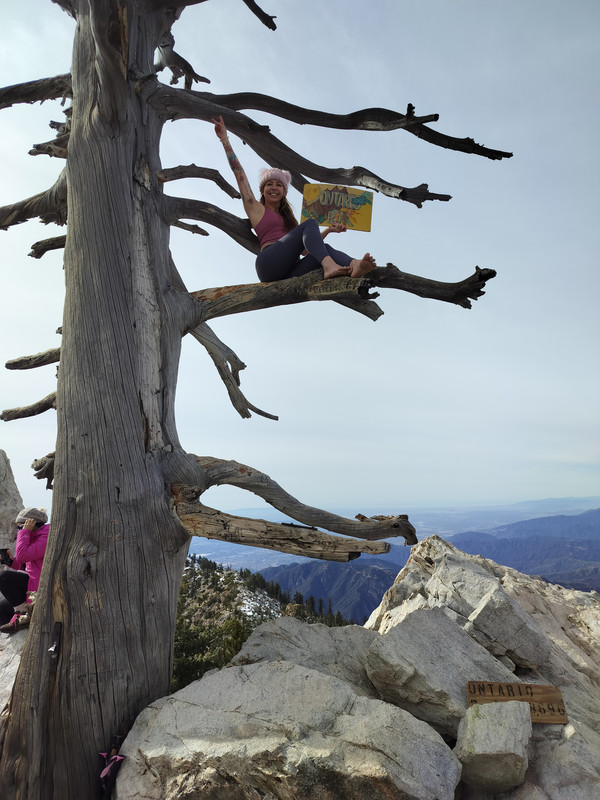
Forrest Nymphs in the San Gabriels
[Edited on 4-5-2026 by cupcake]
|
|
|
David K
Honored Nomad
Posts: 65636
Registered: 8-30-2002
Location: San Diego County
Member Is Offline
Mood: Have Baja Fever
|
|
I get it that Nomad has not made photo posting insanely easy, like Facebook... BUT, it isn't that hard to follow the steps I have shared here (at the
top of the photo gallery forum)...
To post photos from your Pictures folder on your computer...
Go to www.Postimages.org, make an album if you want to organize your photos to find them easily in the future (by date or by subject). No cost to use
Postimages.org.
1) Change the upload setting from "Do not resize my image" to 640x480 (recommended for forums) or 800x600 (max. on Nomad). You click on the little
arrow to see the size choices.
2) Click "Choose images" and select the photos you want to put on Nomad from your Pictures folder.
3) Click on the image you want on Nomad and click on "Share" at the top of the screen.
4) Choose "Hotlinks for forums" (down next to the last one). You can click the little box at the right end of the link and it is now saved on your
mouse.
5) Go to Nomad and paste that link onto the place where you are typing on Nomad.
You can put text in below the photo for a caption for your post and if you double space between photo links (for clarity), you can put several photos
and captions in a single post on Nomad. You can click "Preview" on Nomad to check and see how it will look before posting to the board.
If you need to fix a post after it is done, click on "Edit" along the edge of your post, and change or delete your post. If you edit more than once,
you can delete the previous Edited on tags so only one edit tag will appear after you edit the post.
==============================================================
|
|
|
SFandH
Elite Nomad
Posts: 7674
Registered: 8-5-2011
Member Is Offline
|
|
This photo was uploaded from my computer to bajanomad by clicking the "post reply" button beneath the post you're replying to, then selecting the
photo with the "choose file" button. No need to put the photo on another website first, at least not for this thread.
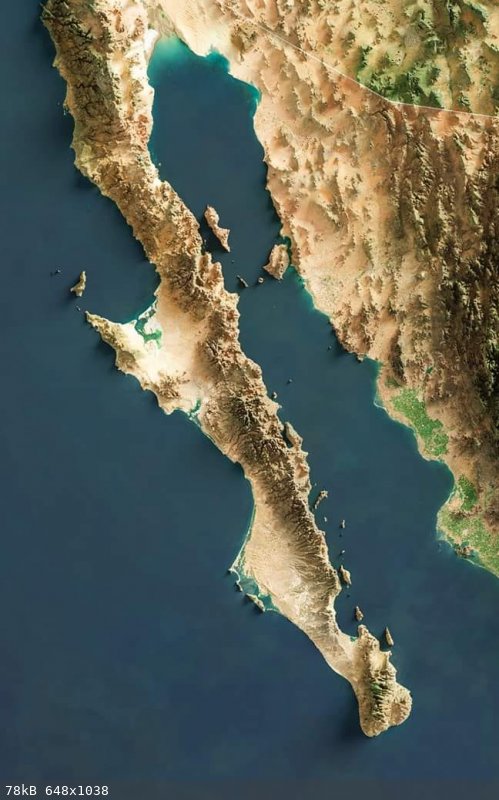
[Edited on 4-5-2026 by SFandH]
|
|
|
David K
Honored Nomad
Posts: 65636
Registered: 8-30-2002
Location: San Diego County
Member Is Offline
Mood: Have Baja Fever
|
|
No need if the photo is already on another site. My information is for personal photos on your computer. They must be 'hosted' before adding to Nomad
unless you reduce the file size that may hurt the image clarity.
There are other methods... I only offered the Post Images one that has worked well, since Photobucket changed the deal on us a few years ago.
|
|
|
SFandH
Elite Nomad
Posts: 7674
Registered: 8-5-2011
Member Is Offline
|
|
The photo I posted above was on my computer. I did not have to upload it to another site or reduce the file size or dimensions; I just added it as an
attachment.
Upload size limit is 486kB. Image limit is 2200x2200.
[Edited on 4-5-2026 by SFandH]
|
|
|
surabi
Elite Nomad
Posts: 9797
Registered: 5-6-2016
Member Is Offline
|
|
| Quote: Originally posted by cupcake | Upload your photo to postimages.org. Copy the link to the photo after uploading.
Post link here surrounded by these characters:
[img=500x]link[/img]
https://postimages.org/
Forrest Nymphs in the San Gabriels
[Edited on 4-4-2026 by cupcake] |
Completely irrelevant to my comment. Yes, I understand the photo posting instructions. I said no other forum requires uploading first to a third party
site-all you did was verify the convoluted process for posting photos here.
[Edited on 4-4-2026 by surabi]
|
|
|
David K
Honored Nomad
Posts: 65636
Registered: 8-30-2002
Location: San Diego County
Member Is Offline
Mood: Have Baja Fever
|
|
Yet, most still are not able to add photos here...
I was simply adding an option if the methods used by you both don't work for others.
Happy Easter
|
|
|
| Pages:
1
2
3 |






![[*]](images/xmbforum/default_icon.gif)


